Quick answer: choose by workflow and job scope, not just price
If your shop runs multi-step diagnostics, periodic software updates, and wants full-system bi-directional tests across many makes, a diagnostic tablet is the better long-term fit. If you mainly do quick check-engine reads, emissions readiness, and fast triage at scale, a rugged handheld OBD2 scanner is usually the smarter, lower-cost choice.
Decision criteria to use when comparing devices
Use these four practical filters when choosing:
- Coverage & capability — systems, bi-directional tests, scripting and dealer-level functions.
- Workflow integration — how the tool fits a technician’s day: bench work, on-car, mobile service, or service advisor use.
- Durability and ease of use — drop resistance, touchscreen vs buttons, learning curve, and speed of common tasks.
- Cost, updates and total cost of ownership — upfront price, annual subscriptions, dongles/adapters and training time.
How diagnostic tablets and handheld scanners differ where it matters
Capability and vehicle coverage
Diagnostic tablets are designed as platform tools. They commonly offer full-system coverage (engine, ABS, transmission, airbag, body modules), bi-directional controls (actuator tests, relearns), ECU coding and sometimes service procedures. This makes them suitable when you need to read live data in complex workflows or run procedures that change system states.
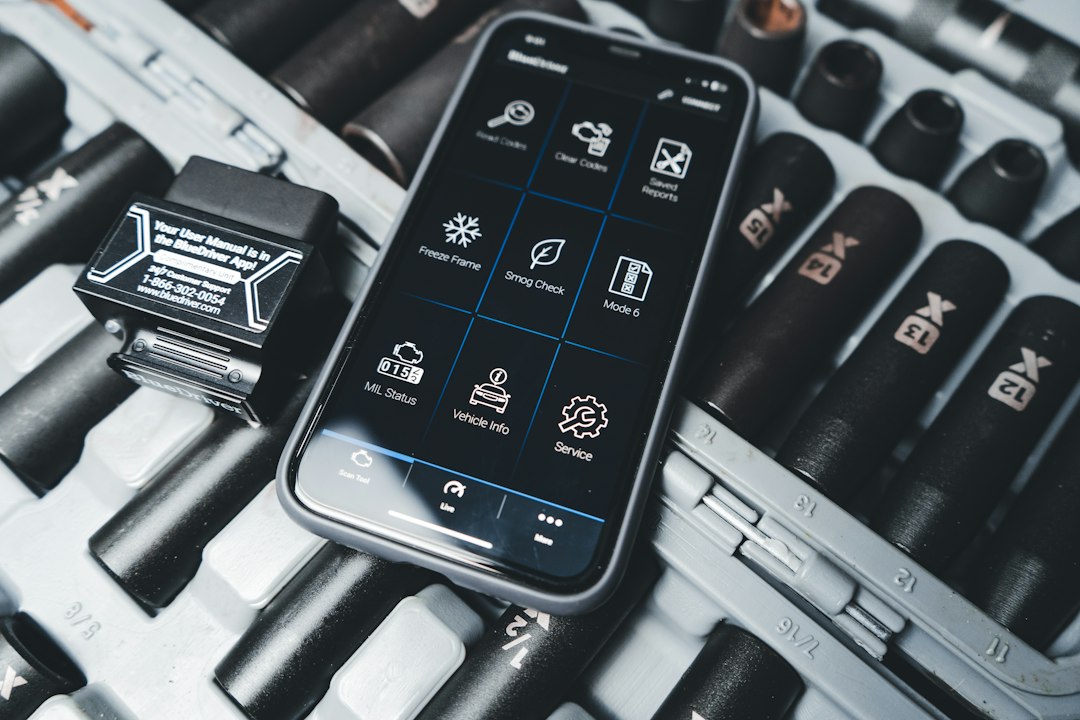
Handheld scanners are focused, efficient readers. Most are excellent at OBDII codes, freeze-frame, live PID streaming and readiness status. A few advanced handhelds expand into basic service functions, but they rarely match the breadth or depth of tablet-based software suites.
Speed and technician workflow
Tablets: better for multi-step diagnostics, capturing data logs, and when a technician needs to annotate, save reports, or email results to customers. They shine at chasing intermittent faults because they can record long datalogs and support graphing across multiple PIDs.
Handhelds: optimized for speed—connect, read codes, clear codes, check I/M readiness. For high-volume shops or technicians who spend most of their time doing routine inspections, handhelds minimize tool setup and get results fast.
Portability and ruggedness
Modern tablets are rugged but larger and need a cradle or secure place in the bay. They’re great as shared bench tools or for mobile work when you need full features. Handheld scanners are compact, pocketable and ideal for rapid in-vehicle checks or when a tech runs between bays.
Learning curve and technician access
Tablets often use more advanced software that requires training to exploit fully. That’s an advantage if you have trained technicians; a liability if you need simple, walk-up use for entry-level staff. Handhelds are generally plug-and-play, with intuitive menus and minimal training.
Upfront cost vs ongoing expense
Tablets carry higher initial costs and commonly involve annual subscriptions for software/vehicle coverage and updates. Handhelds are more affordable up front and may have optional paid updates but are cheaper to operate for shops that only need basic functions.
When a diagnostic tablet is the right choice
Choose a tablet if any of the following are true for your shop:
- You regularly perform complex diagnostics, module programming, or dealer-level procedures.
- You need to capture long datalogs, compare waveform graphs, or run bi-directional tests (e.g., actuators, relearns).
- Your shop services many makes and models where deep coverage reduces trial-and-error labor.
- You want to create professional diagnostic reports for customers and integrate with shop management workflows.
Recommended product when a tablet fits: place a shop-focused, high-coverage tablet that supports bi-directional tests early in your buying list. The top-ranked match for full-featured tablet functionality in this store is a sophisticated Autel diagnostic tablet well-suited to independent shops and mobile techs.
When a handheld scanner is the better fit
Choose a handheld if your priorities include speed, low cost, and routine checks:
- Your typical job is code reading, clearing, readiness checks and simple live-data verification.
- You need multiple tools distributed across bays or technicians and want low replacement/repair costs.
- You run emissions testing, pre-inspections, or quick triage for incoming vehicles.
- Technicians are less experienced or you prefer tools with a small learning curve.
Recommended product for handheld needs: for straightforward code reading and Bluetooth flexibility, consider the well-reviewed ANCEL AD310BT handheld scanner that pairs portability with common OBD2 functions.
Practical trade-offs: examples from real workflows
Scenario A — Busy independent shop: If your techs handle lots of routine jobs plus occasional complex issues, a mixed approach often works best: at least one diagnostic tablet for deep work and several handhelds for day-to-day triage.

Scenario B — Mobile technician: A diagnostic tablet that fits in a vehicle and supports offline datalogging provides the most value because it reduces trips back to the shop for complex procedures.
Scenario C — Quick-lane or inspection center: Handheld devices dominate—fast, cheap to replace, and efficient for repeatable checks.
Buying checklist before you commit
- Confirm vehicle coverage and whether you need full-system or OBD2-only support.
- Ask about update frequency and subscription costs for covered makes.
- Test real-world workflows—datablogging, printing/emailing reports, and bi-directional tests—before buying.
- Consider the mix: a central tablet plus distributed handhelds often gives the best balance.
- Check physical durability, battery life, and spare cable/adapter availability.
Next steps and useful internal resources
For guidance on evaluating scanners for home and small-shop use, see our buying checklist and diagnostic basics:
- What to Look for When Choosing a Scanner for Home Garage Repairs
- Car Diagnostic Tools Explained: A Practical Guide for Everyday Drivers
- List top 5 tasks your techs perform now and verify tool coverage for each.
- Confirm annual update costs and any per-vehicle programming fees.
- Check hands-on ergonomics: weight, screen responsiveness, and menu flow.
- Ensure spare adapters and a service plan are available locally.
- Decide whether one shared tablet plus multiple handhelds fits into your workflow and budget.
Diagnostic tablets and handheld scanners serve different purposes. Tablets deliver breadth and advanced functions for deep diagnostics and programming, while handhelds offer speed, portability and low cost for routine checks. Most workshops find a hybrid approach—one tablet for complex work and multiple handhelds for triage—delivers the best return.
Can a handheld scanner perform ECU coding or programming?
Generally no—handhelds rarely support ECU coding or advanced programming; these functions are usually limited to tablet-class tools with manufacturer-level software.
Are tablet subscriptions necessary every year?
Most tablet platforms require paid updates to maintain full vehicle coverage and new model support; evaluate update costs before purchase.
Is one tablet enough for a multi-bay shop?
One tablet may suffice for occasional deep diagnostics, but productivity benefits often justify additional licenses or devices if multiple techs need simultaneous access.
Can handheld scanners connect to shop management software?
Some higher-end handhelds offer report export or Bluetooth connectivity that integrates with shop systems, but integration is more seamless with tablet platforms designed for reporting.
What’s the best first purchase for a small independent shop?
Start with a versatile handheld for daily triage and a serviceable tablet when complex diagnostics become frequent; this staged approach spreads cost while upgrading capability.